Amazon DSP Wireless Guide
A Practical Wireless Checklist for DSP Owners
Amazon Delivery Service Partners need reliable driver phones, business wireless plans, device protection, and a clear replacement process. The Mobile Wiseguy team helps DSP owners evaluate these needs alongside device management, fleet connectivity, and dispatch communication options.
Quick Answer
The right Amazon DSP wireless setup depends on delivery-route coverage, app compatibility, battery life, device durability, replacement cost, and account management. Compare the full operating cost and support process before choosing a phone deal or carrier.
Running an Amazon DSP means keeping drivers and dispatch connected throughout the workday. Phones support delivery applications, photos, navigation, and communication. When devices fail or service becomes unreliable, managers need a practical way to respond.
Wireless decisions should cover the entire operation: phones, lines, plans, protection, spare devices, upgrades, and account control. Growing fleets may also benefit from reviewing device management and other business technology tools.
The Mobile Wiseguy team works with Amazon DSP owners to evaluate business wireless options and coordinate appropriate solutions through our business technology partners.
What This Guide Covers
- Driver phones and device selection
- Business wireless plans and carrier comparisons
- Device offers and promotional credit requirements
- Device protection and replacement planning
- Hotspots and backup internet
- Indoor mobile connectivity for eligible facilities
- Upgrades and wireless account management
- Mobile device management, fleet tools, and dispatch communication
1. Driver Phones: Do Not Buy Only on Price
Driver phones experience repeated handling, drops, outdoor use, and long delivery shifts. A lower purchase price can become expensive if the device struggles with required apps, needs frequent replacement, or cannot last through the workday.
Before ordering driver phones, review:
- Compatibility with the delivery applications your operation requires
- Battery life and charging arrangements during shifts
- Screen brightness and readability outdoors
- Camera performance for delivery photos
- Durability, cases, and screen protection
- Carrier compatibility and coverage across delivery routes
- Replacement cost and availability of matching spare devices
- Software support and compatibility with device management tools
The Mobile Wiseguy team’s approach: Choose a phone that runs the required apps reliably, fits the operation’s budget, and is manageable to replace. Test a small group before placing a large fleet order.
2. Phone Options for Amazon DSP Drivers
There is no single best phone for every DSP. Compare the exact model, carrier version, software support, and total cost before deciding.
Budget Driver Phones
Samsung Galaxy A-series
Compare available A-series models when purchase price and replacement cost are priorities. Confirm app performance, memory, battery life, and carrier compatibility for the specific device.
Rugged Samsung Phones
Samsung Galaxy XCover series
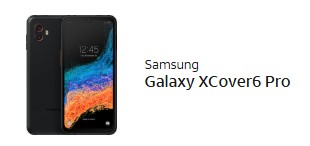
Evaluate XCover models when tougher construction and business device features matter. Review the model’s durability specifications and test it with your required delivery apps.
Other Rugged Options
Sonim rugged phones
Consider available Sonim models where rugged construction is a priority. The Mobile Wiseguy team has not validated every current model for DSP use, so app testing should come before a fleet purchase.
iPhones and Manager Devices
Compatible iPhone models
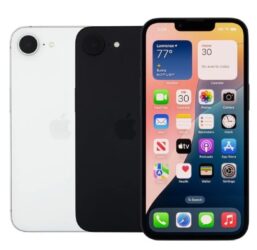
Evaluate iPhones for owners, managers, or roles where required applications support iOS. Confirm workflow compatibility and total cost before choosing them for driver lines.
A Practical Starting Point
Compare a budget Samsung phone with a rugged option, test the required apps, and review replacement costs. Keep configured spare phones available so a damaged device does not leave the operation scrambling.
3. Understand Amazon DSP Phone Deals Before Ordering
A low advertised phone price is only one part of the offer. The actual cost may depend on the wireless plan, installment agreement, new-line requirements, trade-in eligibility, and monthly promotional credits.
Ask for a written breakdown that explains:
- Monthly service charges and device payments
- Taxes, fees, activation charges, and upfront costs
- Which lines qualify for each promotion
- When credits are expected to begin and how long they continue
- Whether a plan change affects promotional eligibility
- What happens if a line is canceled, upgraded, or moved
- Any remaining device balance or contractual obligation
Review Any Planned Plan Change
If an offer includes moving to a different plan later, confirm that the change is permitted under the promotion’s written terms. Do not assume device credits will continue after changing plans.
The Mobile Wiseguy team helps DSP owners compare available offers and understand the service cost, device cost, and applicable requirements before ordering.
4. Business Wireless Plans: Match the Plan to the Operation
Review coverage, data needs, hotspot allowances, account controls, taxes, fees, and device offers alongside the monthly price.
Start with a clear inventory:
- Driver lines: Count the active lines used for delivery work.
- Manager lines: Identify users with different data or hotspot needs.
- Spare devices: Decide which need active service and which can remain replacement inventory.
- Seasonal growth: Plan for additional users and devices.
- Existing obligations: Review installments, contracts, and promotional credits.
- Unused lines: Investigate them before canceling service that may carry obligations.
For a DSP, predictable billing and a manageable account can matter as much as the advertised rate.
5. Carrier Options: Verizon, AT&T, and T-Mobile
The Mobile Wiseguy team helps Amazon DSP owners review business wireless options across Verizon, AT&T, and T-Mobile. The appropriate carrier depends on delivery routes, device compatibility, available offers, and the business’s requirements.
Carrier Factors to Compare
- Route coverage: Evaluate the places drivers actually work.
- Device availability: Confirm suitable phones and replacement inventory.
- Plan features: Review data, hotspot, and applicable network management terms.
- Upgrade requirements: Understand financing and promotional eligibility.
- Account coordination: Establish who handles orders, changes, and billing follow-up.
When possible, test service on representative routes before moving a large group of lines.
6. Device Protection: Plan for Broken, Lost, and Damaged Phones
Device protection and spare inventory should be considered together. A protection plan may help with covered incidents, while configured spare phones can help maintain operations during the replacement process.
Compare protection options using the actual agreement:
- Covered incidents and exclusions
- Monthly charges, deductibles, and service fees
- Claim limits and replacement conditions
- Repair or replacement availability
- Who is authorized to submit claims
- How replacement devices will be configured and returned to service
For lower-cost phones, replacing devices from spare inventory may be worth comparing with ongoing protection charges. For other devices, coverage may fit the business better.
Review Amazon DSP Device Insurance Options →
7. Hotspots and Backup Internet
Dispatch offices, temporary work areas, and independently managed facilities may need another way to access the internet when their primary connection fails.
Before choosing a hotspot or cellular router, review:
- Coverage at the intended location
- How many devices must connect
- Expected data usage and plan limits
- Whether the connection is occasional backup or daily service
- Whether automatic failover is required
- Power availability and the applications that must stay connected
The Mobile Wiseguy team can help coordinate a review of backup connectivity options based on the facility and business requirements.
Indoor Cellular Connectivity for Amazon DSP Facilities
Offices and warehouses can have weak indoor cellular reception. For compatible devices, supported commercial Wi-Fi solutions may provide another way to carry eligible mobile traffic.
The Mobile Wiseguy team helps qualifying businesses explore these options and determine whether their existing network is suitable. Some eligible properties may also qualify for revenue sharing based on supported traffic and program terms.
This approach does not increase the building’s native cellular signal. Supported services and performance depend on the Wi-Fi network, participating carriers, and compatible devices.
For Amazon DSP owners: Participation may be worth evaluating at facilities where you have authority over the network. Amazon-controlled delivery stations and other managed properties require authorization from the responsible property and network administrators.
8. Upgrades and Replacements: Have a Process
Review devices before failures become urgent. Track device age, damage history, software support, upgrade eligibility, and replacement inventory.
- Identify aging devices and phones causing repeated problems.
- Check installment balances and promotional obligations.
- Test replacement models with required applications.
- Plan activation, configuration, and device assignment.
- Keep an accurate inventory of active and spare phones.
- Establish a secure process for retiring or reusing old devices.
Bulk upgrades should include a rollout plan so ordering, activation, and app setup happen in a controlled sequence.
9. Account Management and Business Technology Tools
As a DSP grows, wireless management includes more than adding lines. The business needs accurate records, clear account permissions, consistent ordering, and follow-up on billing and promotional credits.
The Mobile Wiseguy team provides a point of contact to coordinate these needs and explore additional solutions through our business technology partners. Availability, compatibility, and service scope are reviewed for each operation.
Mobile Device Management
Device management tools can help businesses organize company-owned phones and manage applications, settings, and security policies. Depending on the platform and enrollment method, available features may include device inventory, app deployment, restrictions, and remote actions.
For a DSP, the review should focus on required delivery applications, administrator access, company-owned devices, and a repeatable setup process for replacements.
Fleet and Vehicle Solutions
Vehicle technology may support visibility into fleet activity and driver operations. Before adding a system, review what your existing tools already provide, which vehicles you are authorized to equip, and whether an additional solution addresses a specific need.
Push-to-Talk and Dispatch Communication
Push-to-talk services may be useful for certain team communication workflows. Evaluate coverage, compatible devices, group management, and how the service would fit alongside existing communication tools.
Drivers should follow applicable laws and company safety policies when using communication devices.
Mobile Forms and Workforce Productivity
Mobile forms can help organize internal tasks such as equipment handoffs, incident reports, and administrative checklists. Review whether these tools reduce duplicate work and fit your existing processes.
Business Voice
Business voice solutions may help owners, managers, and office staff manage business calls. Review phone numbers, call routing, user access, and mobile working requirements before selecting a service.
Start with the operational need. Additional technology should solve a clear problem. Compatibility with Amazon-required systems and any necessary approvals must be confirmed before implementation.
Related Amazon DSP Wireless Resources
Explore these resources when reviewing your operation’s phones, service, and connectivity:
10. Build a Wireless Setup Your DSP Can Manage
A practical Amazon DSP wireless setup brings together reliable phones, suitable plans, spare inventory, device protection, and a clear process for upgrades and account changes.
Start with route coverage and required applications. Then review costs, device management, and any additional tools that address a specific operational need.
Review Wireless Options for Your Amazon DSP
The Mobile Wiseguy team helps Amazon DSP owners evaluate business wireless lines, phones, bring-your-own-device options, upgrades, device protection, and backup connectivity.
We can also coordinate a review of device management, fleet tools, and business communication options through our technology partners.
Tell our team your current carrier, approximate line count, delivery area, device models, and the problems you want to solve. We assist business customers in Tampa Bay and nationwide.