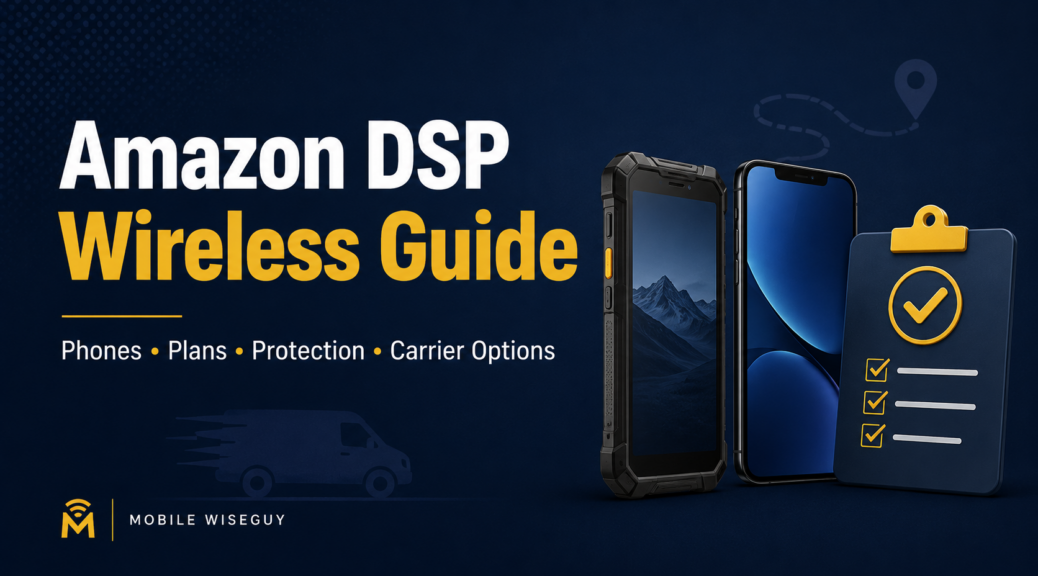
Amazon DSP Wireless Guide
A Practical Wireless Checklist for DSP Owners
Amazon DSP owners need more than cheap phones. Reliable driver devices, business wireless lines, backup options, device protection, and a clean upgrade process all matter.
Quick Answer
The best wireless setup for an Amazon DSP is not always the lowest monthly price. Instead, the right setup depends on driver coverage, device durability, replacement speed, hotspot needs, account control, and how easily the business can manage upgrades when phones start failing.
Running an Amazon DSP means dealing with constant movement. Drivers need phones that work. Dispatch also needs reliable communication. Meanwhile, managers need a fast way to replace broken devices without turning every phone problem into another headache.
Because of that, wireless decisions should not happen one phone at a time. A better approach is to review the full operation: phones, lines, plans, upgrades, protection, hotspots, and account support.
Before buying more devices, switching carriers, or signing up for another promotion, use this guide to review what the operation actually needs. In addition, use it as a simple checklist when comparing carrier options.
What This Guide Covers
- Recommended phone types for Amazon DSP drivers
- Budget phones, rugged phones, iPhones, and manager devices
- Business wireless plans and line setup
- Carrier options including Verizon, AT&T, and T-Mobile
- How advertised phone deals can be structured
- Device protection for lost, broken, or damaged phones
- Hotspots and backup internet for dispatch or temporary locations
- Upgrade and replacement planning
- Wireless account management
1. Driver Phones: Do Not Buy Only on Price
Driver phones take a beating in Amazon DSP operations. These devices get dropped, left in vehicles, exposed to heat, used all day, and handed from one person to another. So a cheap phone may look good at first, but it can cost more later if it causes app problems, battery issues, or constant replacements.
Before choosing phones for drivers, review these points:
- Battery life for long delivery shifts
- Screen size and brightness for outdoor use
- Device durability for daily handling
- Case and screen protector availability
- Camera quality for delivery photos
- Network compatibility across the delivery area
- Replacement cost if the phone is lost or damaged
Budget phones can make sense. Rugged phones can make sense too. In some cases, iPhones and Samsung phones may also fit the operation. However, the mistake is buying only based on the lowest price without thinking about daily use.
Mobile Wiseguy take: For Amazon DSP operations, the best phone is not always the fanciest phone. It is the phone that works reliably, is easy to replace, and keeps drivers moving.
2. Recommended Phones for Amazon DSP Drivers
There is no single perfect phone for every Amazon DSP. However, there are smart categories to consider. The best choice depends on route coverage, driver habits, replacement cost, carrier compatibility, and whether the phone is for a driver, manager, or spare device.
Best Budget Driver Phone
Samsung Galaxy A-series
A Samsung A-series phone can be a strong budget-style pick for driver fleets that need a large screen, solid battery life, 5G support, and lower replacement cost than premium phones.
Best Rugged Samsung Option
Samsung Galaxy XCover series
A better fit for rougher driver use, heavy handling, wet conditions, and businesses that want a tougher device with business-focused durability features.
Very Rugged Option to Review
Sonim rugged phones
Sonim devices are known for being very rugged. However, some Amazon DSP users had app performance issues on older Sonim devices in the past. Sonim has updated its devices, but Mobile Wiseguy has not personally tested the newer models yet for DSP app use.
Best iPhone Option
iPhone 17e
A good fit when the DSP wants iOS, Apple reliability, manager devices, or a current iPhone promotion. For daily driver use, compare the total cost before choosing iPhones for every line.
My Practical Recommendation
For most Amazon DSP driver fleets, start by comparing a Samsung A-series phone and a rugged Samsung XCover phone. Then review Sonim only if rugged durability is the top priority and the required DSP apps are tested first. Use iPhones mainly for managers, owners, or driver groups where iOS is required. Finally, keep at least a few spare phones ready so one broken device does not slow down the operation.
Also, do not order phones before confirming carrier compatibility, promotion requirements, device financing terms, and return rules. A good phone can still be the wrong choice if the account setup is wrong.
3. Be Careful With Advertised Amazon DSP Phone Deals
Some companies advertise very low phone prices to Amazon DSP owners. The important question is how that price is being created.
In some cases, the advertised price may be based on a higher wireless plan, monthly device credits, and then a later plan change after a few months. That is often a form of promo stacking with a plan step-down. It may look attractive in an ad, but the DSP owner needs to understand the full setup before agreeing to it.
The concern is not just the phone price. The concern is whether the offer is clean, repeatable, and easy for the business to understand. If the deal depends on changing plans later, timing credits correctly, or trusting that nothing breaks on the bill, it should be reviewed carefully.
Watch the Fine Print
A low advertised device price does not always mean the plan itself is special. Often, the real difference is how the offer is structured, which plan is used at activation, and whether monthly credits are involved.
Mobile Wiseguy focuses on giving Amazon DSP owners a clear view of the available carrier options. Bring-your-own-device plans, device offers, and business wireless options from AT&T, Verizon, and T-Mobile can be reviewed based on what the carriers actually make available and what fits the DSP operation.
The goal is simple: understand the real monthly cost, the device cost, the credit requirements, and what happens if the business changes plans later.
4. Business Wireless Plans: Do Not Chase the Lowest Price Alone
Wireless plans matter. However, the cheapest plan is not always the smartest plan. Amazon DSP owners need to look at coverage, speed, hotspot needs, account control, taxes, fees, contract terms, and device promotions.
A low monthly plan can look attractive at first. Later, problems can show up with coverage, device financing, upgrade limits, or support. For that reason, review today’s line count and also think about future growth.
Start with these questions:
- Current driver lines: count the active lines first.
- Spare phones: decide how many backup devices should stay ready.
- Manager lines: separate manager needs from driver needs.
- Hotspot needs: review dispatch, backup, and temporary work areas.
- Bulk upgrades: plan ahead if several phones may need replacement at once.
- Seasonal growth: make sure the account can handle more lines when volume increases.
For Amazon DSP owners, the goal is a wireless setup that stays predictable, manageable, and easy to scale.
5. Carrier Options: Verizon, AT&T, and T-Mobile
Many Amazon DSP owners compare Verizon, AT&T, and T-Mobile for business wireless service. Still, no single carrier fits every DSP. The right choice depends on routes, devices, account support, coverage, and current promotions.
Coverage should come first. After all, a good promotion does not help much if drivers lose service in the delivery area. After that, review device pricing, upgrade options, business support, account controls, and how easy it is to replace or add lines.
Carrier Factors to Review
Coverage
Drivers need service across delivery routes, not just at the office.
Device Pricing
Phone costs matter when the business orders multiple driver devices.
Upgrade Options
A DSP needs an upgrade plan before older phones start failing.
Account Support
Someone has to manage ordering, billing, changes, and replacement needs.
Promotions
Promotions can help. However, the business needs to understand the requirements before chasing the offer.
In short, compare carriers based on the actual DSP operation, not just the headline offer.
6. Device Protection: Plan for Broken, Lost, and Damaged Phones
Phones are work tools for Amazon DSP drivers. Some devices will break. Other devices will get lost. In many cases, charging problems and damaged screens will also show up during normal delivery work.
Because damage is part of the business, device protection should not be an afterthought. Decide ahead of time which phones need protection, which phones are cheap enough to replace outright, and how quickly replacements can happen.
For some businesses, device protection makes sense because downtime costs money. For others, keeping a few spare phones ready may work better. Therefore, the right answer depends on the phone model, monthly cost, replacement cost, and how often devices get damaged.
Do not wait until phones start failing. Put a replacement process in place before the busy season, not after drivers already have problems.
7. Hotspots and Backup Internet
Some Amazon DSP operations also need hotspots or backup internet. For example, this can help with dispatch areas, temporary locations, staging areas, or locations where regular internet service is not reliable enough.
Hotspots are not always required. Still, they can help when the business needs flexible connectivity. Before ordering one, review where internet access is needed, how much data the business may use, and whether the hotspot is for occasional backup or daily use.
Ask these questions first:
- Dispatch backup: review whether dispatch needs another internet option.
- Temporary work areas: check whether mobile connectivity is needed.
- Manager access: decide whether managers need mobile internet.
- Usage type: separate emergency use from daily use.
- Data needs: make sure the plan fits the job.
8. Upgrades and Replacements: Have a Process
Many businesses wait too long to think about upgrades. Then phones start failing, drivers complain, managers scramble, and everything becomes urgent.
Instead, Amazon DSP owners should review phones on a schedule. Look at device age, damage history, upgrade eligibility, and which phones should get replaced first.
A good upgrade process should answer these points:
- Oldest phones: review aging devices first.
- Problem devices: identify phones causing the most complaints.
- Upgrade eligibility: check which lines can be upgraded now.
- Backup devices: decide which phones should stay as spares.
- Current offers: compare available promotions before ordering.
- User needs: match better devices to the drivers or managers who need them.
Plan upgrades before they become emergencies. As a result, the business gets more control and fewer last-minute problems.
9. Account Management: Someone Has to Own the Wireless Mess
Wireless accounts can get messy fast. Lines get added. Devices get upgraded. Promotions have requirements. Also, old phones stay active, broken phones need replacements, and managers change.
After a while, nobody remembers who ordered what. That is why one point of contact can matter. The business needs someone who understands the account, reviews the options, explains the tradeoffs, and helps keep the wireless setup organized.
That is the difference between buying phones randomly and building a real wireless process for the business.
Related Amazon DSP Wireless Posts
If you are comparing phones, promotions, device protection, or carrier options, these Mobile Wiseguy posts can help:
- Verizon Business Promotions for Amazon DSP Owners
- Best Verizon Phones for Amazon DSP Drivers
- Business Protect: Device Insurance for Amazon DSP Owners
- Efficient Wireless Solutions for Amazon DSP Clients
- Samsung A15 vs A16: Best Budget Phones for Amazon DSPs
After publishing this guide, update the older Amazon DSP posts and link them back here. That turns scattered posts into a real Amazon DSP wireless content cluster.
10. The Bottom Line for Amazon DSP Owners
Amazon DSP wireless service should not work like a random phone purchase. Phones, plans, protection, hotspots, upgrades, and carrier choices all affect daily operations.
When the setup works, drivers stay connected, managers deal with fewer problems, and the business has a cleaner process for wireless decisions.
Need Help Reviewing Wireless Options for Your Amazon DSP?
Mobile Wiseguy helps Amazon DSP owners review phones, business wireless lines, bring-your-own-device options, upgrades, device protection, hotspots, and carrier choices across AT&T, Verizon, and T-Mobile.
For help thinking through the right wireless setup for your delivery operation, contact Mobile Wiseguy.