
Mobile Business Wireless Help Across Tampa Bay
Mobile Wiseguy works with businesses across Tampa Bay, including Tampa, Westchase, Oldsmar, Clearwater, St. Petersburg, Brandon, Wesley Chapel, Palm Harbor, and nearby areas.
I work mobile because many business wireless and tech issues are easier to solve when I can understand the account, the phones, the users, and the business needs directly.
Some businesses need help with phone upgrades. Some need new lines added. Others need billing questions answered, plan reviews, business internet options, or help moving from one device to another.
The goal is simple: help Tampa Bay businesses get wireless and technology handled without wasting hours chasing answers.
A Real Local Consultant, Not Just a Website
Mobile Wiseguy is based in the Tampa Bay area and helps business owners, managers, and teams with practical wireless and technology support.
I can help by phone, email, video call, or by meeting at your business when it makes sense. Some issues can be handled remotely. Other times, being there in person makes the process easier for the customer and the employees using the phones.
Mobile Wiseguy is listed on Google Maps so Tampa Bay businesses can verify the business, see reviews, and connect with a real local consultant.
Helping a Tampa Bay Business With a Phone Upgrade
On this visit, I helped a local business customer move from an Android Pixel phone to an Apple iPhone. Switching from Android to iPhone can feel confusing for customers who are used to one type of phone, so I wanted to make the process easier.
Before the visit, I updated my AT&T Wireless Consultant site with a tutorial about moving content from Android to iPhone. That gave the customer a helpful reference and also gives future customers a simple guide to follow.
You can view that guide here: Smartphone Content Transfer Guide.
When I arrived at the customer’s office, the new iPhone had not been activated yet. That made it easier to start the transfer correctly. I downloaded the Move to iOS app on the Android phone and started moving the customer’s information to the new iPhone.
After the transfer was completed, I activated the phone and completed a test call to make sure the service was working. We also checked contacts, messages, and other important information to confirm the data moved over correctly.
Device Setup, Apple ID Help, and Plan Review
The customer’s apps transferred over, but they still needed to be downloaded on the iPhone. That required signing into an Apple ID. His Gmail address was already connected to an Apple account, so we were able to reset the password with a verification code and continue the setup.
That is the kind of small issue that can slow down a busy business owner or employee. When I am there helping directly, I can keep the process moving and reduce frustration.
After the phone setup, I reviewed the wireless account and found a way to lower the monthly cost. The plan update saved the customer $15 per smartphone line.
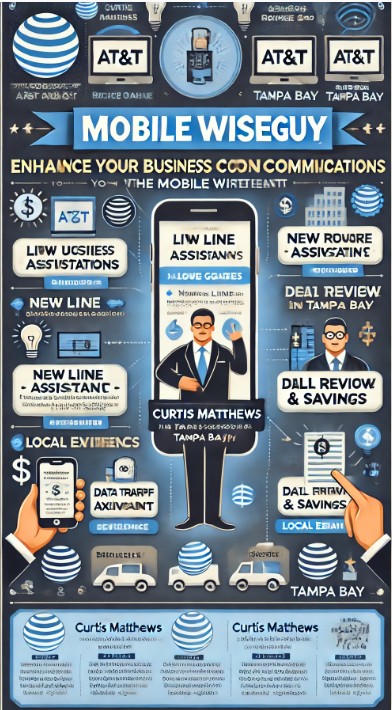
Business Wireless and Tech Help Across Tampa Bay
This type of visit is why I like working directly with local businesses. A phone upgrade is not always just a phone upgrade. Sometimes it involves data transfer, activation, account access, plan review, app setup, password recovery, and making sure the user can get back to work.
That is where experience matters. I help connect the dots so the business does not have to figure everything out alone.
Phone Upgrades
Help choosing, ordering, activating, and setting up new business phones.
New Lines
Support for adding business lines, users, phones, tablets, and connected devices.
Plan Reviews
Review business wireless accounts to look for better plan options and possible savings.
Device Setup
Help with activation, content transfer, Apple ID issues, basic setup, and user readiness.
Business Internet
Help reviewing business internet options for offices, remote locations, and mobile teams.
Local Support
Tampa Bay business help by phone, email, video call, or in person when needed.
Why Mobile Service Matters
Many business owners and managers do not have time to sit on hold, visit stores, or chase down answers. They need someone who understands business wireless and can help guide the process.
Working mobile lets me help customers in the real environment where the phones and services are being used. That can make the difference between a frustrating upgrade and a smooth one.
Hands-on service builds trust. It also helps me better understand what each business actually needs.
Need Business Wireless Help in Tampa Bay?
If your business needs help with wireless service, phone upgrades, new lines, billing questions, plan reviews, device setup, or business internet, contact Mobile Wiseguy.
I work directly with Tampa Bay businesses and help guide the process from account review to order to setup.
Contact Curtis Matthews, Mobile Wiseguy, for business wireless and technology help across Tampa Bay.