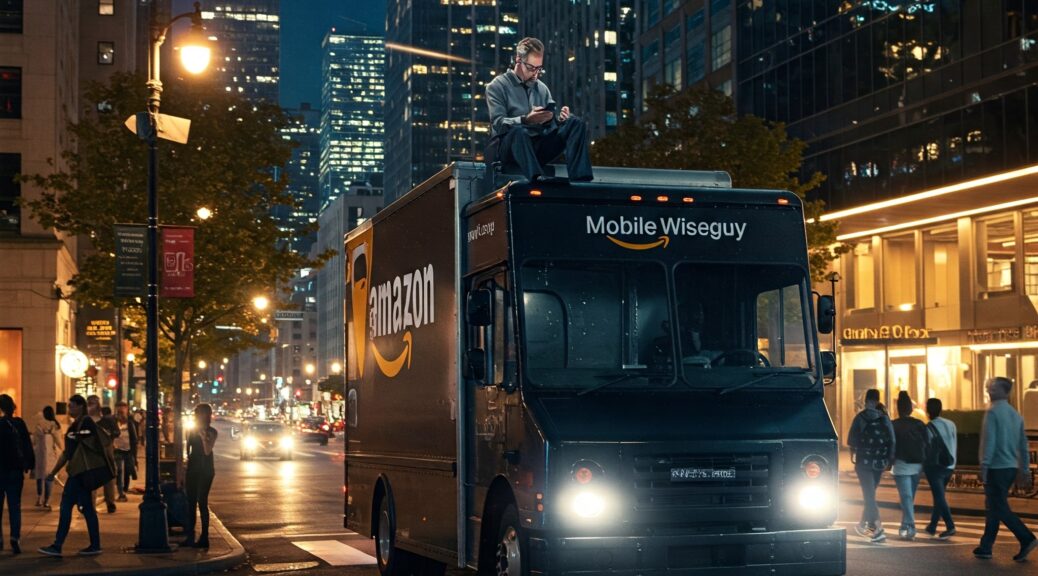
If you run an Amazon DSP, you already know the truth: weak phones wreck routes. Screens crack, batteries die halfway through the day, and suddenly you’ve got late packages, angry customers, and drivers calling from personal phones trying to fix it.
I’m Curtis, the Mobile Wiseguy. I’ve been in wireless for 35+ years, and I work with Amazon DSP owners who want their wireless setup to just work. For DSPs, Verizon usually gives the cleanest path – strong coverage on most routes and the freedom for independent partners like me to actually help you.
This guide breaks down the best Verizon phones for Amazon DSP drivers in 2025, how to think about your device lineup, and what I recommend when I’m building fleets for real-world DSP operations.
Why Verizon Makes Sense for Amazon DSP Wireless
Every DSP market is different, but here’s why a lot of owners end up choosing Verizon for Amazon DSP wireless:
- Route coverage: A lot of DSP routes run through industrial parks, neighborhoods, and rural pockets where coverage matters more than fancy features. Verizon’s network usually holds up well in those “edge of town” spots.
- 5G capacity where it counts: In busy metros, your drivers are hammering GPS, Amazon apps, photos, and calls all day. A solid 5G network keeps scans and navigation from lagging.
- Business account structure: You can keep all your lines under one business umbrella, separate from personal lines, and control who gets what.
- Support for rugged devices: Verizon carries legit rugged and semi-rugged phones that can survive trucks, rain, drops, and Florida heat.
Point is, if you’re an Amazon DSP owner, a properly built Verizon business wireless setup can save you money and headaches compared to letting drivers use random personal phones.
How to Choose Phones for Amazon DSP Drivers
Before we talk specific phones, think in terms of jobs, not brands. A good Amazon DSP wireless setup usually needs:
- Durability: Phones are going in and out of pockets, seat cracks, cup holders, and package shelves all day. You want drop resistance, good cases, and screens that don’t shatter on the first hit.
- Battery life: Drivers can’t be chasing chargers at 4 PM. Look for all-day batteries and fast charging back at the station.
- Solid GPS & radios: The Amazon apps, navigation, and calling all depend on GPS + LTE/5G radios that don’t flake out.
- Affordable replacement cost: DSP life = broken phones. You want something that doesn’t break the bank when you have to replace a few every month.
- Easy to manage: Ideally, you use the same 1–2 models across all routes so your team knows how to charge them, reset them, and troubleshoot quickly.
With that in mind, here’s how I break down the best Verizon phones for Amazon DSP drivers into three buckets: workhorses, ruggeds, and owner/lead phones.
Best Verizon Phones for Amazon DSP Drivers (2025)
1. Budget & Mid-Range Workhorses (Great for Most Drivers)
These are the phones I like to drop into the hands of most drivers – solid 5G, good battery, no unnecessary fluff.
Samsung Galaxy A-series (A15 / A16-type 5G models)
Samsung’s A-series 5G phones are perfect Amazon DSP workhorses when you don’t want to overspend:
- Big screens for navigation and Amazon apps.
- All-day batteries when you manage brightness and app usage properly.
- Reliable Android experience and easy to case/ screen-protect.
- Great promo value on Verizon business lines when set up correctly.
If you tell me your market and budget, I can usually match you with the right A-series 5G model so your drivers get everything they need without paying flagship prices.
2. Rugged Phones for Tough Routes
Some DSPs run brutal routes – lots of stairs, rain, apartments, warehouses, and parking lot gymnastics. If your drivers are constantly dropping and destroying phones, you’re better off going rugged from day one.
Samsung Galaxy XCover Pro-type Rugged Phones
Rugged Samsung XCover-style phones are built for get-it-done delivery work:
- Military-grade toughness – drops, dust, and water are less of a crisis.
- Glove-friendly screens, which is a big deal in colder markets.
- Programmable side buttons you can map to key apps or functions.
- Still run full Android, so Amazon apps, maps, and photos all work normally.
They cost a bit more than budget phones, but in my experience you often save money by having fewer shattered phones and fewer “I can’t scan, my phone’s dead” calls.
3. Premium Phones for Owners, Dispatch & Lead Drivers
Not everyone in your operation needs a premium phone – but you probably do. Owners, dispatch, and lead drivers often rely on their devices for more than just routes.
Apple iPhone (standard and budget models like the 16e-style devices)
If you’re an Apple person, a modern iPhone on Verizon business wireless gives you:
- Rock-solid reliability for calls, texts, email, and dashboards.
- Excellent camera for documenting damages, incidents, and station photos.
- Strong app ecosystem for business, finance, scheduling, and communications.
For owners and key staff, I like pairing premium phones with the right business plan and leaving the cheaper phones to the driver pool. Your job is to run the company, not fight with a laggy device.
Build a Smart Phone Strategy by Role
Here’s a simple way to think about your Amazon DSP wireless lineup on Verizon:
- Drivers: Budget 5G Samsung A-series or rugged XCover-style phones, all on the same model across your fleet.
- Backup / loaner phones: Keep 2–5 extra devices activated or ready to activate so a broken phone doesn’t kill a route.
- Dispatch / operations: Mix of rugged phones and mid-range devices, depending on how much fieldwork they do.
- Owner / GM: Premium iPhone or high-end Samsung for running the business, not just the routes.
Once we know your station size, markets, and budget, we can map out exactly how many of each type you need and what kind of Verizon business plans make sense.
Plan & Line Setup Tips for Amazon DSP Owners
I’m not going to dump a bunch of plan names here – Verizon changes them too often – but here are the principles I use when I’m helping DSPs:
- Keep everything on a business account: Don’t let drivers mix company work on their personal lines. Keep it clean and controllable.
- Use proper smartphone plans for driver lines: You want enough hotspot, data, and throttling protection so drivers aren’t stuck with unusable phones mid-day.
- Separate owner/office lines from driver lines: You don’t want your personal or office phones buried inside a giant pool of driver lines.
- Budget for breakage: Phones will get lost, stolen, and broken. Put that into the math up front.
Done right, your monthly spend will match the reality of your operation, and your phones will support your DSP instead of dragging it down.
How I Help Amazon DSP Owners with Verizon Wireless
I’m not some call center reading a script.
I’m Curtis Matthews, the Mobile Wiseguy – a wireless consultant who actually understands what happens on the ground with Amazon DSP routes. When I work with DSP owners, here’s what I typically do:
- Audit your current setup: What phones are you using now? What’s breaking? Where are your drivers losing signal?
- Recommend a phone mix: Rugged vs budget vs premium, based on your routes and markets.
- Help with Verizon business lines: Get the right mix of plans and devices without overspending on stuff you don’t need.
- Keep it simple for your staff: Fewer models, clear instructions, and a clean process when a phone needs to be replaced.
My goal is simple: keep your drivers moving, keep your routes on time, and keep your wireless bill under control.
Ready to Tighten Up Your Amazon DSP Wireless Setup?
If you’re tired of random phones, dropped calls, and drivers fighting with bad devices, it’s time to tighten things up.
Here’s what to do next:
- Make a quick list of how many drivers, dispatchers, and managers need phones.
- Note your toughest routes – rural, heavy apartment, bad weather, etc.
- Reach out to me with that info and I’ll map out a Verizon phone and line strategy built for your DSP.
You can contact me directly using the Mobile Wiseguy contact page here: MobileWiseGuy.com/contact. Just mention that you’re an Amazon DSP owner and that you’re looking for help with Verizon phones for your drivers.
I’ll take a look at your situation and tell you straight what I’d do if it were my fleet.
– Curtis, the Mobile Wiseguy
Quick FAQ: Verizon & Amazon DSP Wireless
Do all my Amazon DSP drivers need the same Verizon phone?
They don’t have to, but it makes your life a lot easier. One or two standard models keeps charging, cases, training, and troubleshooting simple.
Should I use rugged phones for all drivers?
If you’re in a market with lots of stairs, bad weather, or rough routes, rugged phones can actually save you money long-term. For milder markets, a solid mid-range 5G phone with a good case can be enough.
Can you help me switch from my current carrier to Verizon for Amazon DSP wireless?
Yes. If Verizon is the right fit for your DSP, I can help you plan the move, pick phones, and get the right business lines set up so the transition doesn’t blow up your routes.